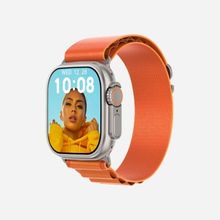
If you own an iPhone and want a smartwatch, the obvious answer is an Apple Watch. The not-so-obvious problem is the price. A new Apple Watch costs more than many people want to spend on something they’re trying out for the first time, especially if all they really want is calls, notifications, and some basic health tracking on their wrist.
The good news is that you don’t have to. Plenty of affordable smartwatches pair happily with an iPhone and cover the everyday essentials for a fraction of the cost. The catch is that “works with iPhone” doesn’t mean the same thing for every watch, and a few features behave differently on iOS than they do on Android. This guide clears that up: how these watches connect to an iPhone, what you can realistically expect, what to check before buying, and four solid options that pair with iOS without costing Apple Watch money.
How Non-Apple Smartwatches Actually Connect to an iPhone
This is the part most buyers get wrong, so it’s worth being clear.
A budget smartwatch connects to your iPhone over Bluetooth, through a companion app you install from the App Store. Once paired, the watch pulls information from your phone, incoming calls, messages, and app notifications, and shows them on your wrist. Many also let you take Bluetooth calls directly from the watch using its built-in speaker and microphone, as long as your iPhone is within range.
So the watch isn’t running iOS, and it isn’t an Apple Watch. It’s a separate device that borrows your iPhone’s connection to stay useful. That’s exactly what people are looking for when they search for a smart watch that works with iPhone on a budget: calls, alerts, and health data on the wrist, without the Apple price tag.
One honest point to set expectations: because iOS is more locked down than Android, a few advanced features can be more limited on an iPhone. Calling and notifications generally work well, but things like replying to messages from the watch may be restricted depending on the watch’s software and iOS. None of this stops the watch from being genuinely useful, it just means you should know it before buying, not after.
What to Check Before Buying a Smartwatch for Your iPhone
Not every budget watch handles the iPhone side equally well. These are the things worth checking first.
Confirmed iOS Support
“Compatible with iPhone” should be stated clearly, usually as something like “iOS 8.0 and above.” If a listing only talks about Android, treat that as a warning sign. Every watch below states iOS support through its companion app.
The Companion App
The app is what ties the watch to your iPhone, handling pairing, notifications, watch faces, and health data. If the app isn’t available on the App Store or is poorly maintained, the whole experience suffers. Several watches here use the widely known WearFit Pro app, so it’s worth checking it’s available for your iPhone before you buy.
Calls and Notifications
If your main reason for buying is to see calls and messages on your wrist, confirm the watch supports Bluetooth calling and iOS notifications. All four below do, though as mentioned, some deeper features can behave differently on iOS.
Display and Everyday Build
You’ll glance at this screen constantly, so an AMOLED display makes a real difference, brighter, sharper, and easier to read than a basic LCD. Basic water resistance (an IP rating) is also worth having for daily splashes and sweat, though budget watches aren’t meant for swimming unless stated.
The Best Smartwatches That Work With iPhone on a Budget
Each watch below pairs with both iPhone and Android, uses an AMOLED display, and sits well under Apple Watch pricing. Here’s what we can confirm about each, and who it suits.
HK12 Pro Series 12 — The Newest, Cleanest Option
The HK12 Pro Series 12 Smartwatch is the latest of the group and built around a large 2.02-inch AMOLED display with a bold, premium look. It handles the essentials an iPhone user actually wants on the wrist: Bluetooth calling, plus call, message, and app notifications as they arrive.
For health, it covers the daily basics, step counting, heart-rate monitoring, and sleep tracking, and it lets you switch between customisable watch faces. It works with both Android and iOS and comes in Black, Gold, and Silver.
Best for: anyone who wants the newest model with a big, clean screen and a simple, no-fuss iPhone pairing. Around ₹3199.
HK11 Pro Max — The Highly Rated Pick
The HK11 Pro Max Smartwatch carries a 5-star buyer rating, which matters in a category where quality varies. It pairs an AMOLED display with Bluetooth calling and a set of AI-assisted features (its Gen-2 upgrade).
If you’d rather buy something existing iPhone users already rate highly than the newest release, this is the reassuring choice, and it usually sits at a slightly lower price.
Best for: buyers who want a proven, well-reviewed option. Around ₹2599–₹2799.
HK10 Pro Max Series 10 — The Feature-Packed Value Choice
The HK10 Pro Max Series 10 gives you the most on your wrist for the money. Its 2.02-inch AMOLED screen runs at a smooth 144 Hz, making everything feel slicker than most budget watches.
It carries 3.2 GB storage and 2 GB RAM, supports local music playback with TWS Bluetooth earbuds, and tracks heart rate, blood oxygen (SpO2), blood pressure, and sleep. It charges wirelessly, carries an IP67 splash rating, works with iPhone and Android, and includes Bluetooth calling.
Best for: anyone who wants the longest feature list and a fast-feeling screen at the lowest price. Around ₹2599.
HK9 Ultra 2 — The Big-Screen, Health-Focused Option
The HK9 Ultra 2 (Gen 2) stands out with the biggest display here: a 2.12-inch AMOLED screen at 485 × 520 resolution in a 49mm case. It’s the most health-focused pick, with heart rate, blood oxygen, and blood pressure monitoring, plus multi-sport modes, a compass, and sleep tracking.
It carries an IP68 rating (the highest here for splash and dust resistance), runs Bluetooth 5.2, pairs through the WearFit Pro app, and includes Bluetooth calling with a built-in speaker and microphone. It’s a “Top rated” product on the store.
Best for: those who want the biggest screen and the widest set of health sensors. Around ₹2699.
Quick Comparison
Only confirmed details are listed. A dash means the spec wasn’t confirmed on the product page, so check the live listing.
| Feature |
HK12 Pro Series 12 |
HK11 Pro Max |
HK10 Pro Max Series 10 |
HK9 Ultra 2 |
| Display |
2.02″ AMOLED |
AMOLED |
2.02″ AMOLED, 144 Hz |
2.12″ AMOLED |
| iPhone + Android |
Yes |
Yes |
Yes |
Yes |
| Bluetooth calling |
Yes |
Yes |
Yes |
Yes |
| Health tracking |
Steps, HR, sleep |
— |
HR, SpO2, BP, sleep |
HR, SpO2, BP, sleep |
| Water resistance |
— |
— |
IP67 |
IP68 |
| Approx. price |
₹3199 |
₹2599–₹2799 |
₹2599 |
₹2699 |
Will These Replace an Apple Watch?
Honestly, no, and that’s fine, because most people don’t need one to. An Apple Watch runs its own apps, integrates deeply with iOS, and has advanced health sensors. These budget watches don’t do that. What they do is cover the parts people use most: seeing calls and messages on your wrist, taking a quick call hands-free, and keeping an eye on steps, heart rate, and sleep.
If you want deep iOS integration and don’t mind the price, an Apple Watch is still the answer. If you want the everyday convenience of a smartwatch on your iPhone without spending several times more, any of the four above does the job well.
Frequently Asked Questions
Do these smartwatches really work with an iPhone?
Yes. All four pair with iPhone (and Android) through their companion app, giving you calls, notifications, and health tracking on your wrist.
Can I take calls on the watch with an iPhone?
Yes. Once paired over Bluetooth, you can make and receive calls from the watch while your iPhone is in range.
Can I reply to iPhone messages from the watch?
You can reliably read notifications. Replying is more limited on iOS than Android and depends on the watch’s software, so check the specific model if two-way texting matters to you.
Which app do they use with an iPhone?
Several, including the HK9 Ultra 2, use the WearFit Pro app from the App Store for pairing, settings, and watch faces. Check each product page for its exact app.
Which one should an iPhone user buy?
For the newest, simplest option, the HK12 Pro Series 12. For the most features at the lowest price, the HK10 Pro Max. For the biggest screen and widest health tracking, the HK9 Ultra 2. For a proven, highly rated pick, the HK11 Pro Max.
Final Thoughts
You don’t need to spend Apple Watch money to get a smartwatch that works with your iPhone. For calls, notifications, and everyday health tracking, any of these four does the job with a bright AMOLED screen and simple Bluetooth pairing, at a fraction of the cost.
If calling is your main priority, it’s worth reading our companion guide to the best Bluetooth calling smartwatches under ₹3500, which goes deeper on call quality and setup. And to see the full line-up side by side, browse the Series 7–10 smartwatch range.